Platform

Simple for employees. Manageable for the business.

One AI workspace gives your team practical help with everyday work on day one — and gives whoever runs it the identity, access, and audit controls to operate AI like any other business system.

This page in two halves

Act one

The AI Workspace

What your team experiences.

People open one workspace, pick the job in front of them, and answer a few questions. No prompt training, no model choice, no separate app per task — the work comes back finished.

For everyone who does the work

  1. Pick the job
  2. Guided, not blank
  3. Company-aware
  4. Done means done

01Pick the job

One workspace, agents ready to run.

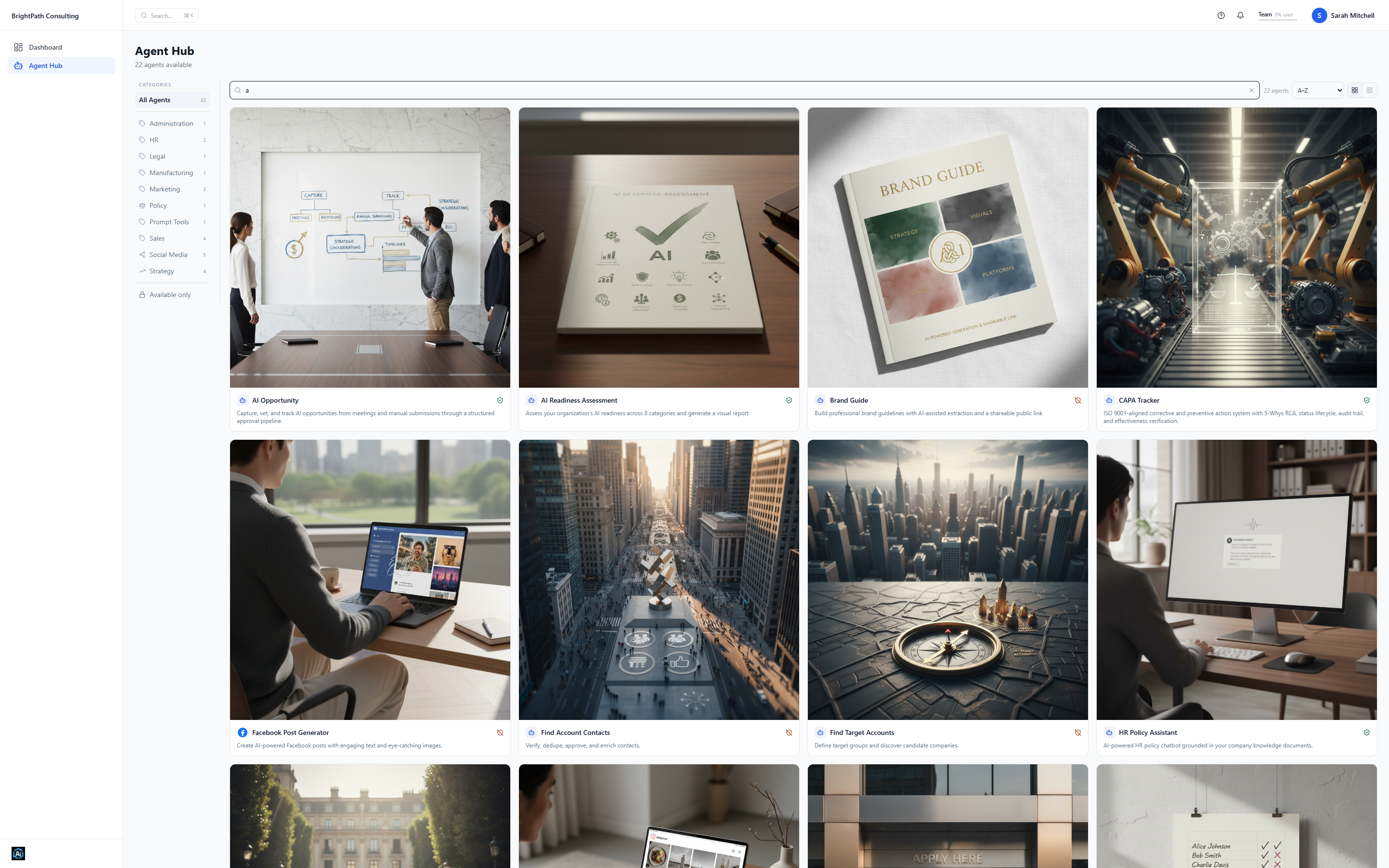
People pick the job they need done — a deck, a cleaned lead list, a contract review — and answer guided questions. No blank chat box, no prompt training, and the full catalog is included on every plan.

Agent Hub catalog with 22 agents across business categories
The Agent Hub — 22 agents across sales, legal, HR, marketing, and strategy

02Guided, not blank

Answer questions, not prompts.

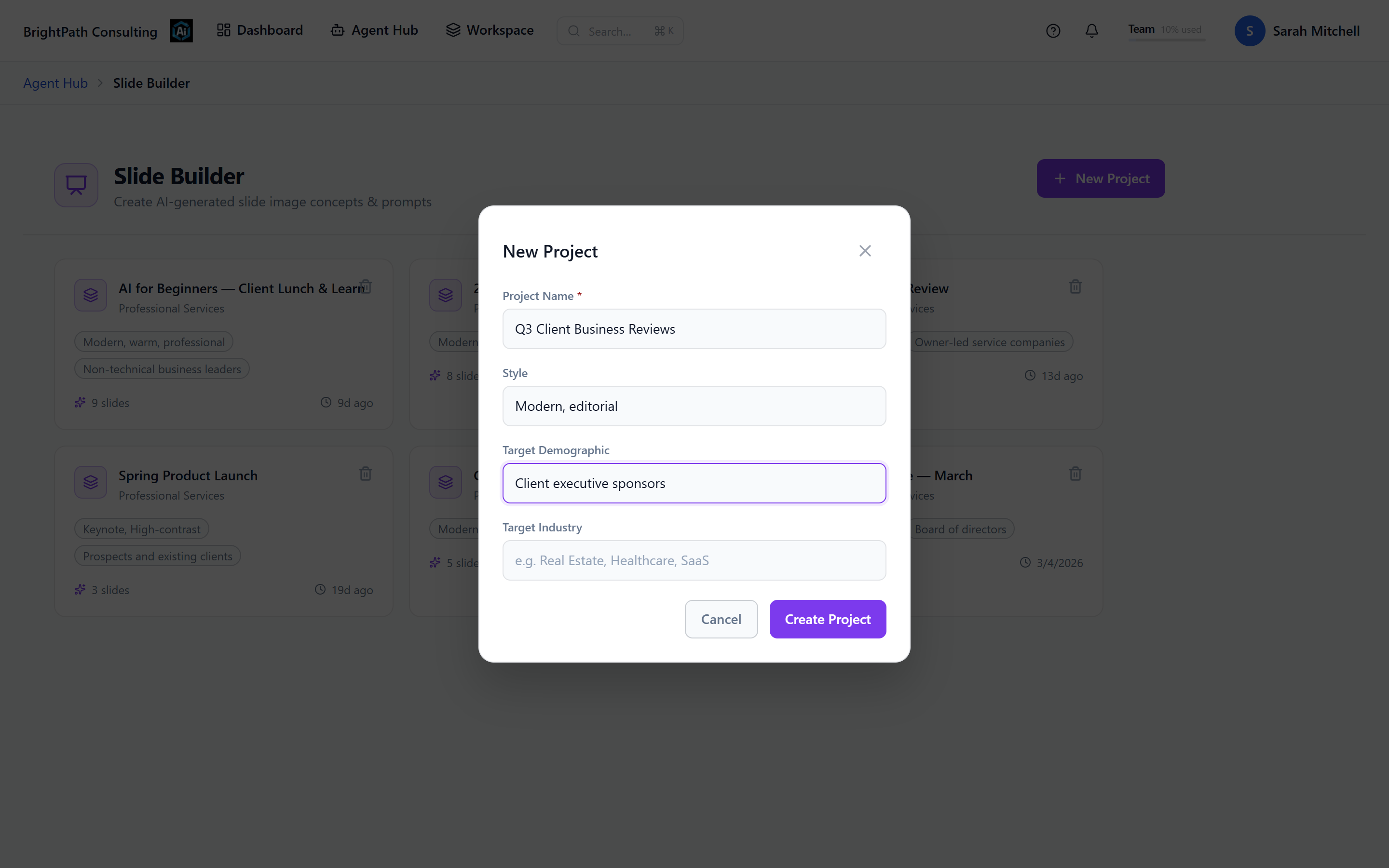
Every agent opens with a short guided setup — what you’re making, who it’s for, how it should sound. The workspace turns those answers into the work; nobody has to learn prompting.

Slide Builder guided project setup with presentation name, style, and audience filled in
Slide Builder’s guided setup — a few questions, no prompt box

03Company-aware

Your company context, built in.

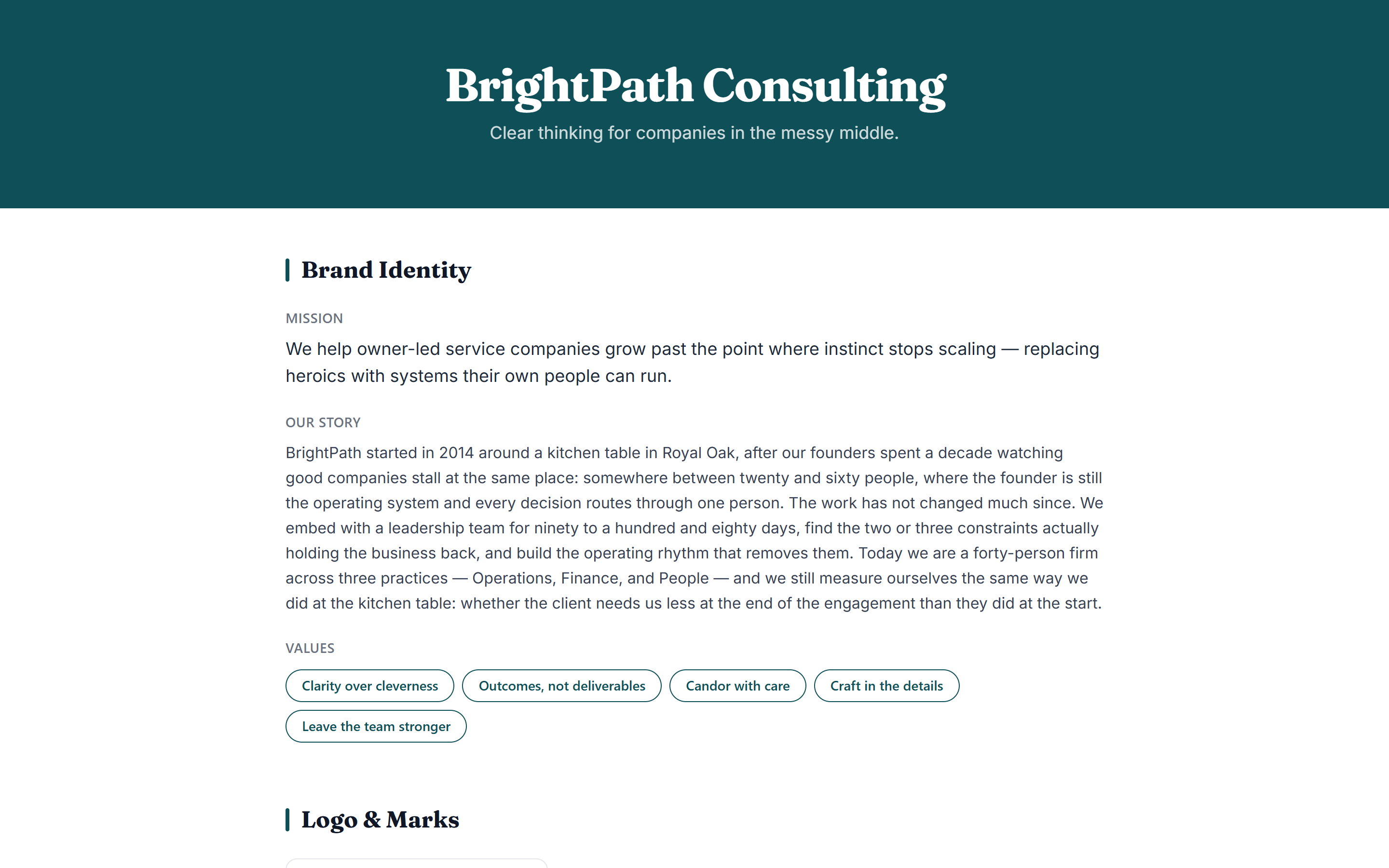
Brand guidelines, handbooks, and policies live in the workspace, so outputs sound like your company and answers cite your documents instead of the open internet.

Published brand guide for a consulting firm
A published brand guide agents draw on

04Done means done

Walk away with the deliverable.

The job ends in a real artifact — a PowerPoint you can present, a cleaned spreadsheet, a cited answer — not a draft you rebuild somewhere else.

A finished nine-slide deck in Slide Builder with the PowerPoint and PDF export menu open
The export moment — PowerPoint or PDF, every slide finished

Use cases

What a week in the workspace looks like.

A real week chains a few agents together — same guided flow, four or five jobs deep. Act two is what keeps work like this governed as more teams pick it up.

Turn a trade-show list into a campaign

A messy spreadsheet of scanned badges becomes cleaned, enriched accounts before it ever touches your CRM — then the same team builds the deck and the follow-up posts.

  • Lead Scrubber
  • ICP Builder
  • Slide Builder
  • LinkedIn Post Generator

Answer contracts and policy questions in-house

Review an MSA for renewal traps and payment terms before it goes to counsel, and let employees ask the handbook their PTO questions instead of emailing HR.

  • Legal Review
  • HR Policy Assistant
  • Policy Builder
  • Legal Drafting

Run AI like an operation, not an experiment

Turn meeting transcripts into candidate workflows, see who uses what, and roll agents out team by team with usage and cost visible the whole time.

  • Transcript Intelligence
  • AI Opportunity
  • Reporting
  • Prompt Builder
Act two

The control plane

What the business manages behind it.

That simplicity runs on controls the business owns: data protected before the model call, the sign-in your company already uses, group-based access, a managed model gateway, and a permanent record of every sensitive change.

For whoever runs it

  1. Secure Vault
  2. Identity
  3. Access control
  4. Model gateway
  5. Visibility

01Secure Vault

Secure data before it reaches the model.

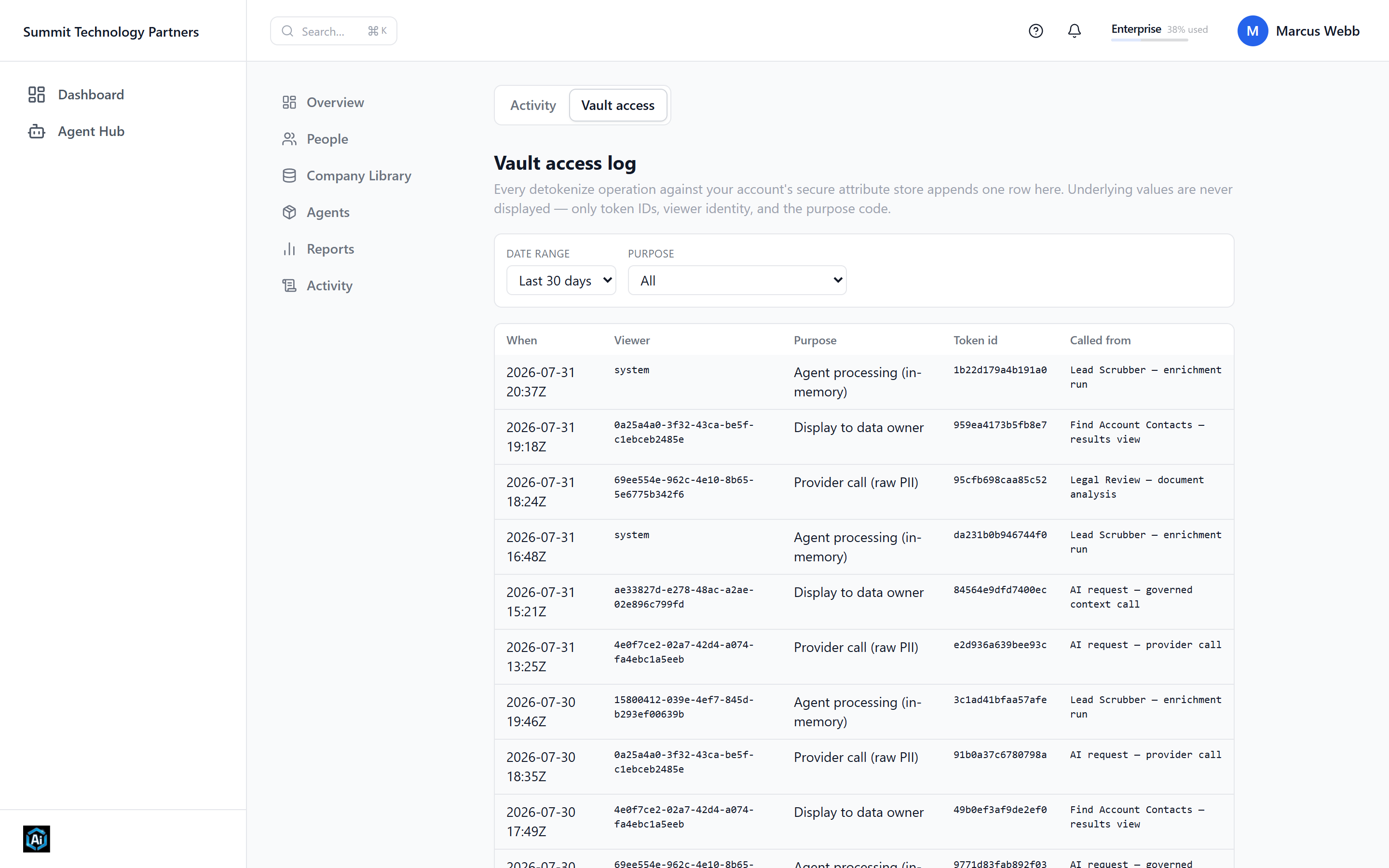
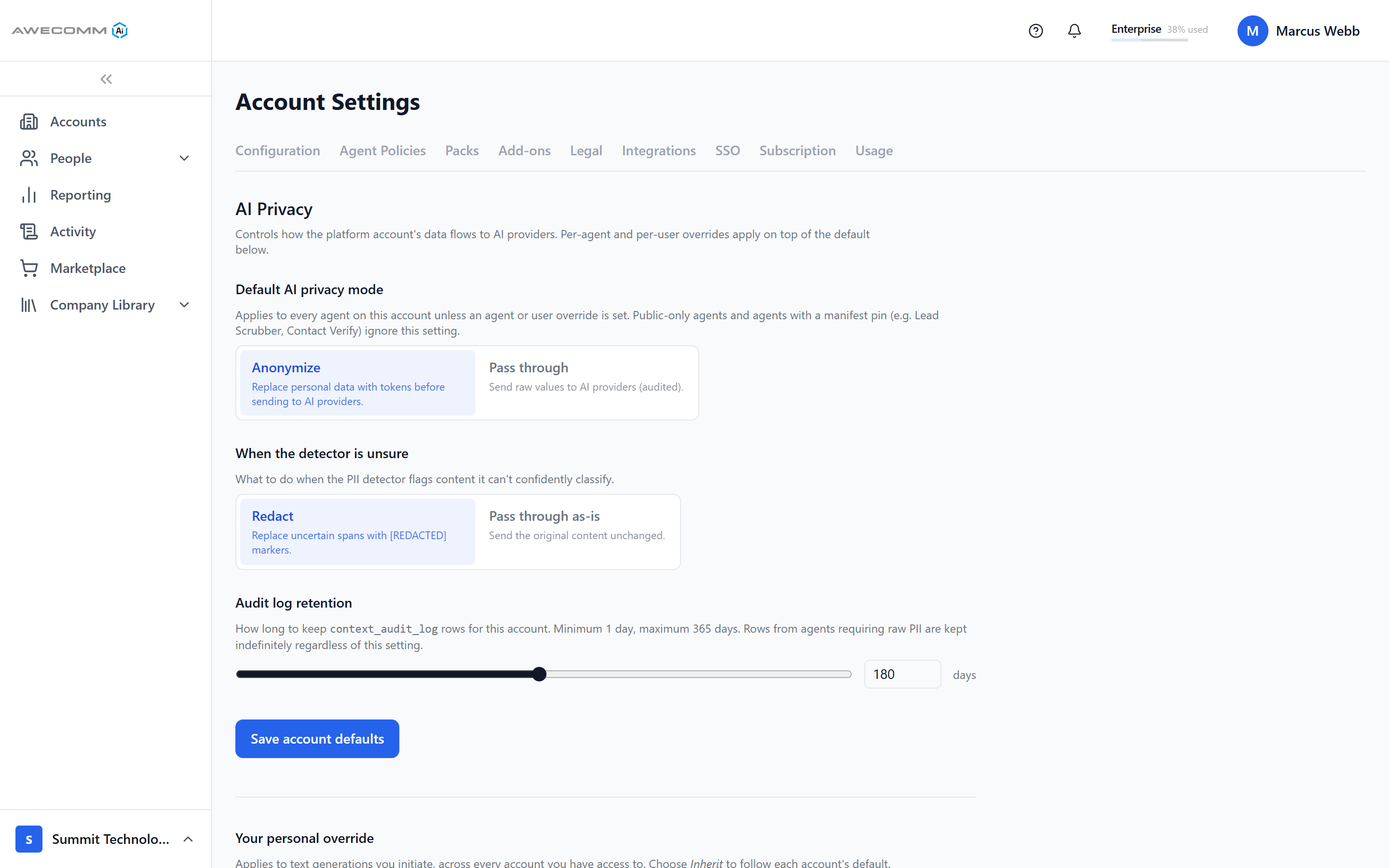
Secure Vault can encrypt and tokenize sensitive values, send protected prompts to the LLM, and restore approved data in the response. Account defaults decide what gets anonymized, redacted, or passed through.

Secure Vault access log of tokenized values around model calls
The Vault access log — every protected call, on the record

02Identity

Sign-in your IT team will recognize.

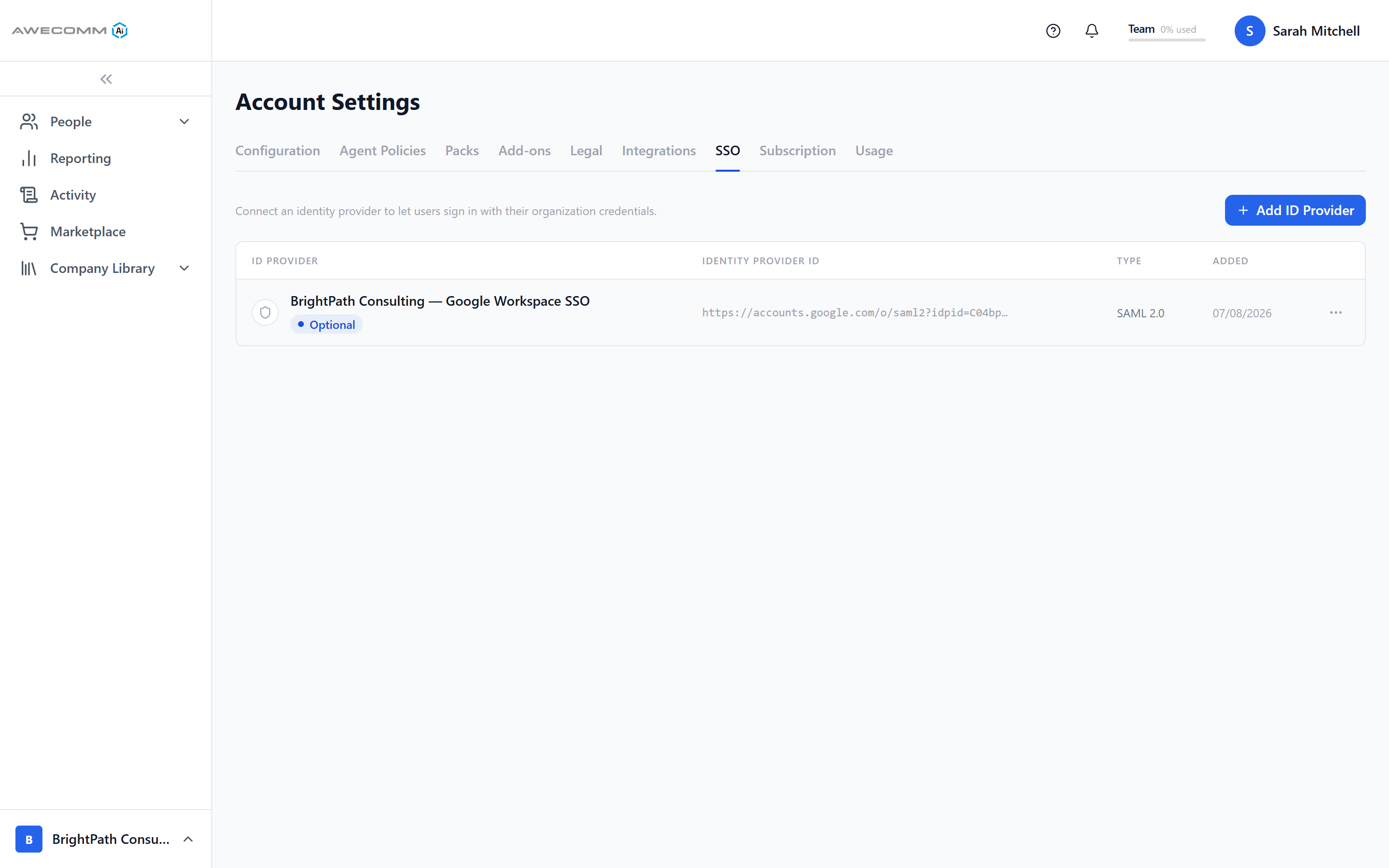
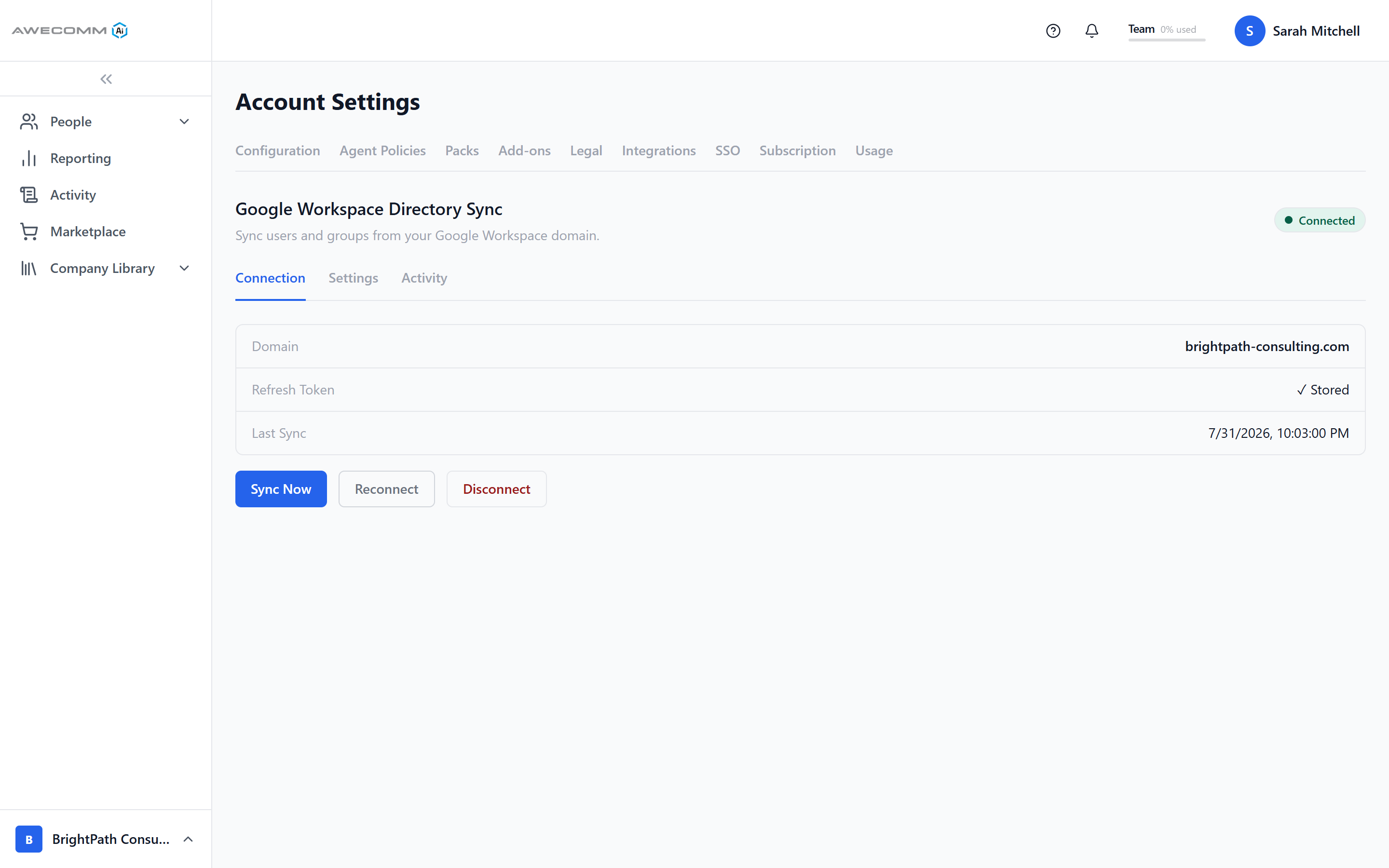
Team and Enterprise connect to the SSO your company already uses — Google Workspace or Azure AD over SAML 2.0 — and directory sync keeps users and groups current automatically.

SAML 2.0 SSO configured with Google Workspace
SSO with Google Workspace or Azure AD

03Access control

Decide who can do what.

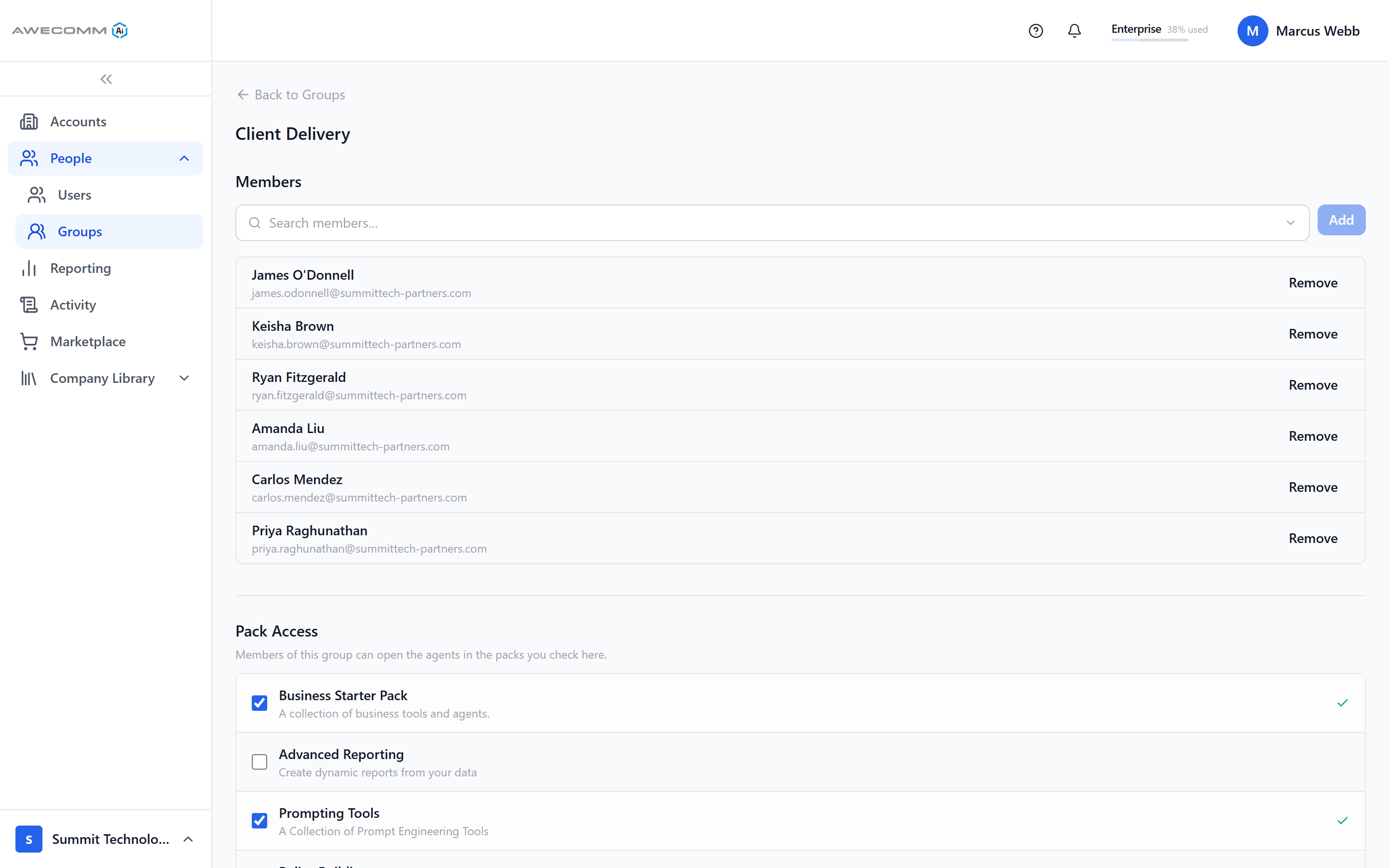
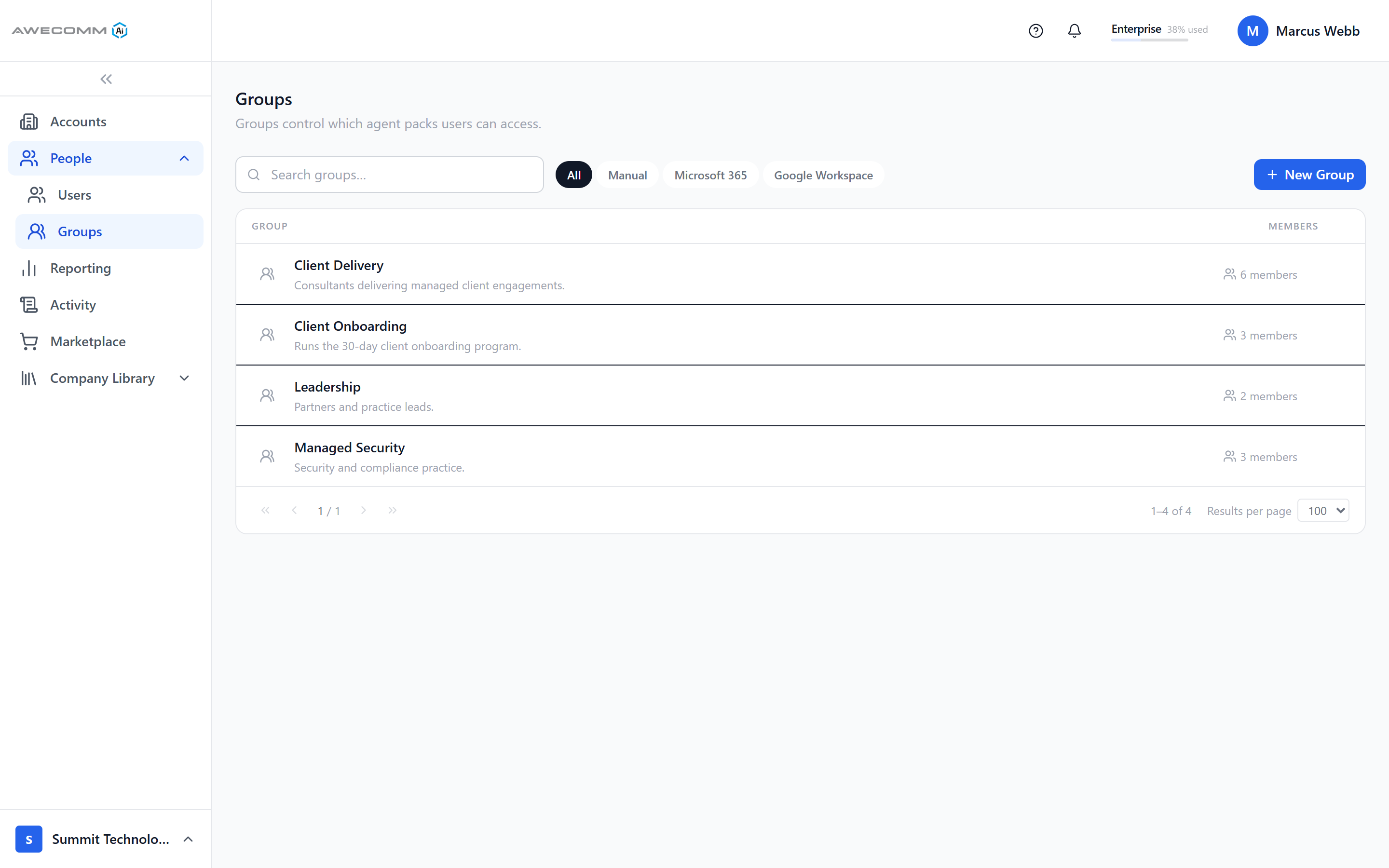
Groups — synced from your directory or built by hand — control which agent packs each person can open. Access follows your org chart, not another user list.

Group detail with members and a pack-access checklist
A group: its members, and exactly what they can open

04Model gateway

Models are managed, never picked.

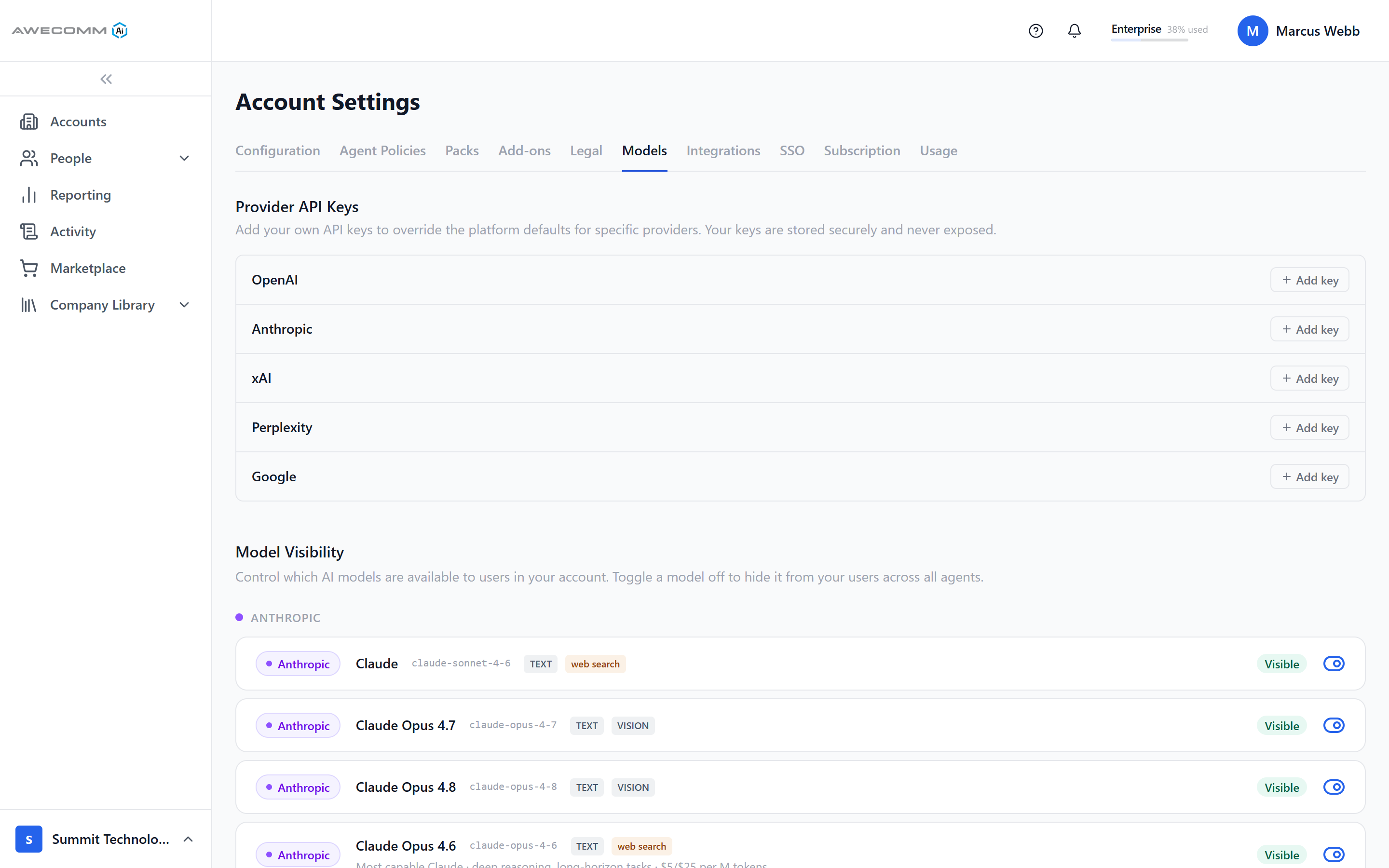
Admins decide which providers and models are visible to the account; employees never choose one. One gateway routes work to OpenAI, Anthropic, Google Gemini, xAI, Perplexity, and more.

Model Visibility admin screen with provider-grouped model rows, capability pills, and visibility toggles
Model visibility — decided by the account, invisible to the work

05Visibility

See everything. Prove everything.

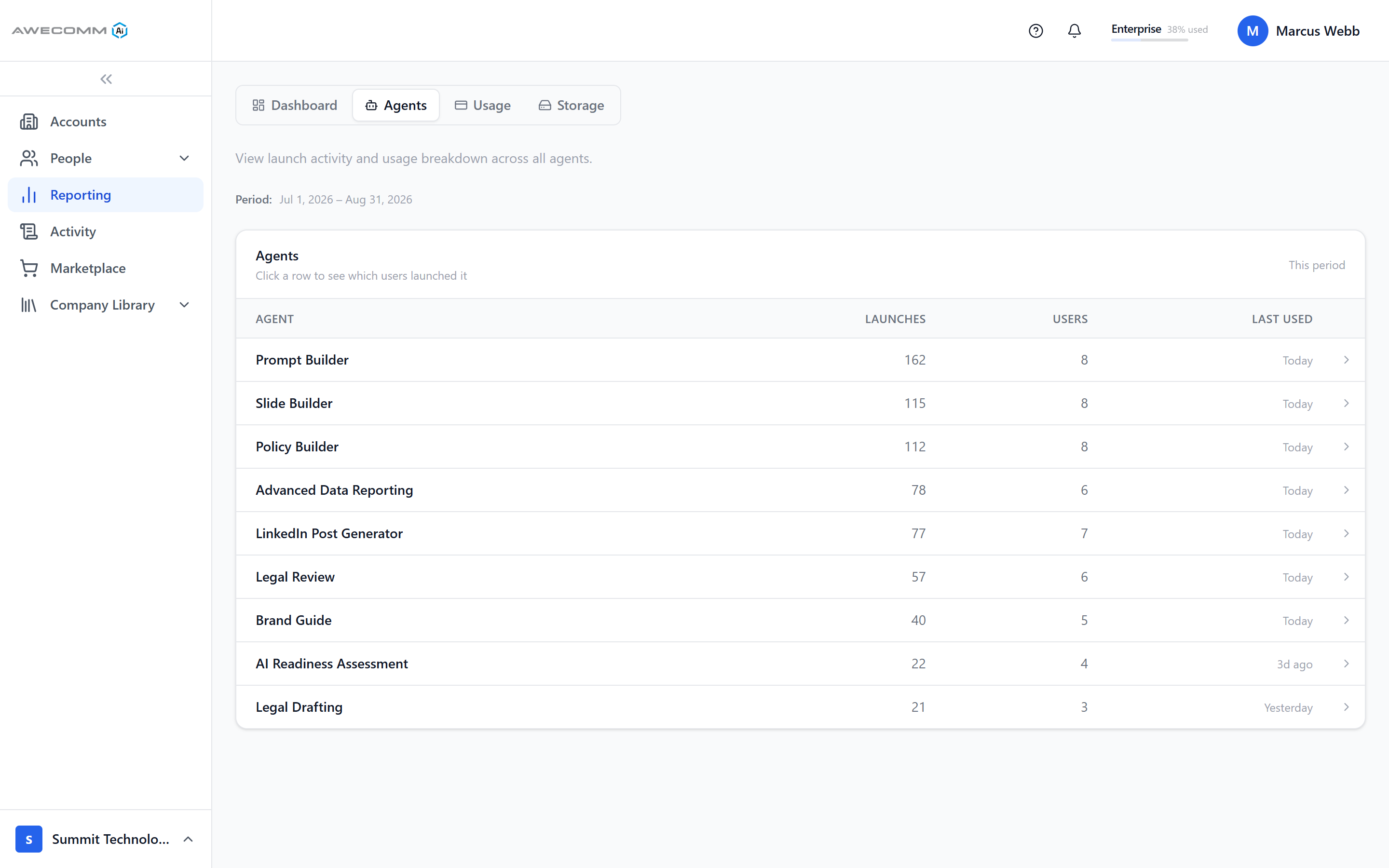
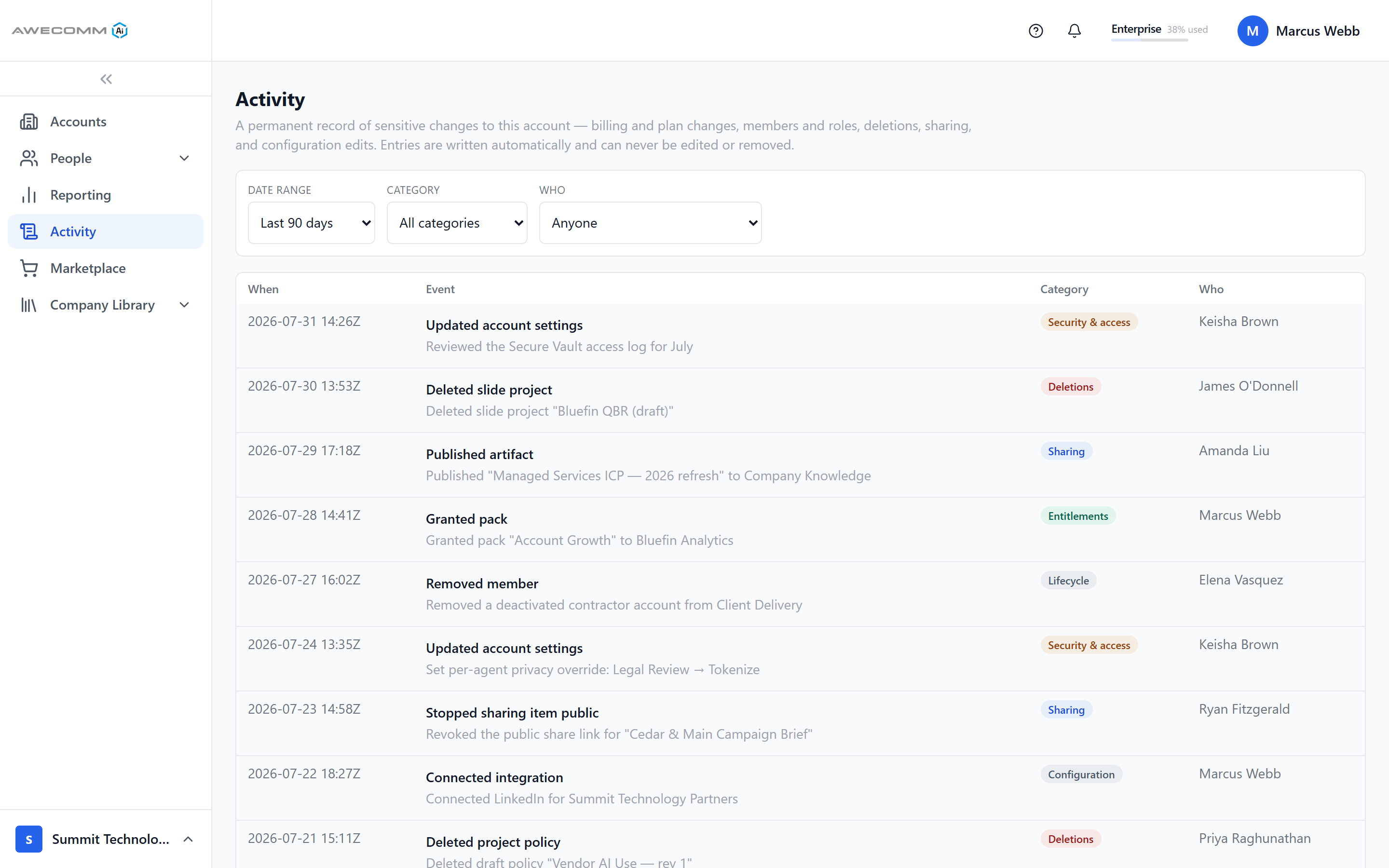
Reporting shows launches, users, and top agents; the activity log writes a permanent record of every sensitive change — roles, packs, sharing, privacy overrides — that cannot be edited or removed.

Per-agent reporting with launches, users, and last used
Who uses what, per agent

Both halves

Simple on one side. Managed on the other.

Employees never see the second half of this page. That is the point — it is what makes the first half safe to hand out.

  • Faster business adoption

    Employees choose the workflow they need and answer guided questions instead of learning how to prompt a general chatbot.

  • Secure Vault protection

    Sensitive values can be encrypted, tokenized, and restored around model calls so raw customer data does not have to go to the LLM.

  • One model gateway

    The portal can route work to OpenAI, Anthropic, Google Gemini, xAI, Perplexity, and other providers through one managed access layer.

  • Governed rollout

    Admins control accounts, sub-accounts, roles, packs, model visibility, company context, and audit trails from a single workspace.

See it on your own work.

Bring a real task — a deck, a lead list, a contract, a policy question — and we will walk the workspace, the controls, and the rollout with you.